Domain Controller Certificate Template

Understanding the Importance of Domain Controller Security
In today’s digital landscape, maintaining robust security for your network infrastructure is paramount. A critical component of this security is the proper management of digital certificates on your domain controllers. These certificates are essential for establishing trust and enabling secure communication within your Active Directory environment. Finding the right Domain Controller Certificate Template can seem daunting, but it’s a crucial step in protecting sensitive data and preventing unauthorized access. Without properly configured certificates, your network is vulnerable to man-in-the-middle attacks, data breaches, and other serious security threats.
The role of a domain controller is central to network authentication and authorization. They verify user credentials and enforce security policies. Because of this central role, domain controllers are prime targets for attackers. Certificates issued to domain controllers are used for services like Kerberos authentication, LDAP over SSL (LDAPS), and secure channel communication. A compromised certificate can allow an attacker to impersonate a domain controller, potentially gaining complete control of your network.
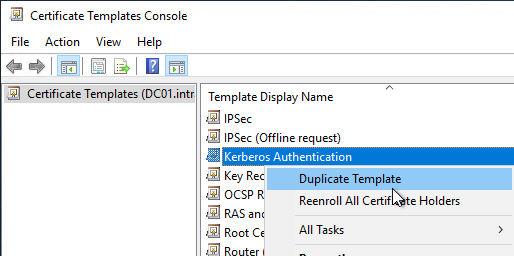
Choosing and implementing the correct certificate template isn’t just about ticking a compliance box; it’s about building a resilient security posture. It’s about ensuring that your users can securely access resources, and that your organization’s data remains protected. This article will delve into the specifics of domain controller certificates, exploring available templates, best practices for implementation, and troubleshooting common issues.
What is a Domain Controller Certificate?
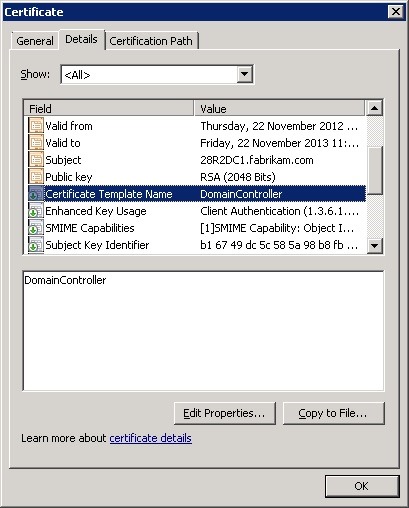
A domain controller certificate is a digital certificate used to identify and authenticate a domain controller to clients and other servers on a network. It’s based on Public Key Infrastructure (PKI), which relies on cryptographic keys to establish trust. The certificate contains information about the domain controller, including its name, the issuing Certificate Authority (CA), and its public key.

Key Uses of Domain Controller Certificates
- Kerberos Authentication: Certificates are used to secure Kerberos tickets, preventing attackers from forging them.
- LDAPS (LDAP over SSL/TLS): Secures communication between clients and domain controllers when querying Active Directory.
- Secure Channel (SMB Signing/Encryption): Enhances the security of file sharing and other network services.
- Certificate Revocation List (CRL) Distribution: Allows domain controllers to distribute CRLs, informing clients about revoked certificates.
- Trust Establishment: Certificates help establish trust between domain controllers in a multi-domain forest.
Without valid certificates, these services are vulnerable to attack. For example, without a valid LDAPS certificate, communication between a client and the domain controller is sent in plain text, making it susceptible to eavesdropping.
Available Domain Controller Certificate Templates
Windows provides several built-in certificate templates suitable for domain controllers. Understanding these templates is key to selecting the right one for your needs. The most commonly used templates include:
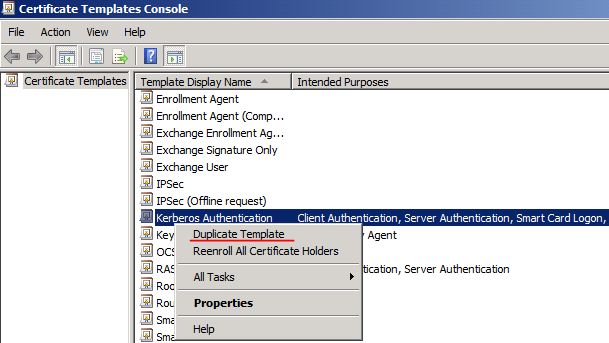
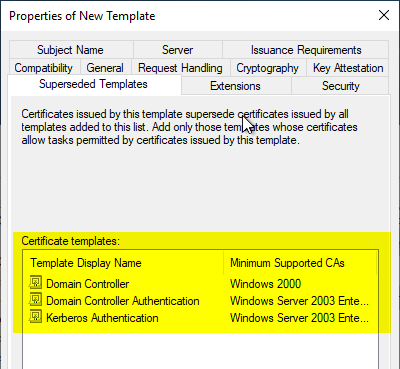
Domain Controller Authentication
This template is designed for authenticating domain controllers to clients. It’s typically used for Kerberos authentication and LDAPS. It includes the Server Authentication extended key usage and is often the first template you should consider.
Domain Controller Authentication (Key Exchange)
This template builds upon the Domain Controller Authentication template by adding the Key Exchange extended key usage. This allows the certificate to be used for secure channel communication, such as SMB signing and encryption.

NTAuth Enrollment
This template is used for automatic certificate enrollment by domain controllers. It’s essential for enabling automatic renewal of certificates, reducing administrative overhead.

Web Server
While not specifically designed for domain controllers, the Web Server template can be used if you are hosting web applications on your domain controllers (which is generally discouraged for security reasons).
Implementing a Domain Controller Certificate Template
Implementing a domain controller certificate template involves several steps.

Step 1: Certificate Authority Setup
You’ll need a functioning Certificate Authority (CA). This can be a Windows internal CA or a third-party CA. If using a Windows internal CA, ensure it’s properly configured and trusted by your domain.

Step 2: Template Issuance
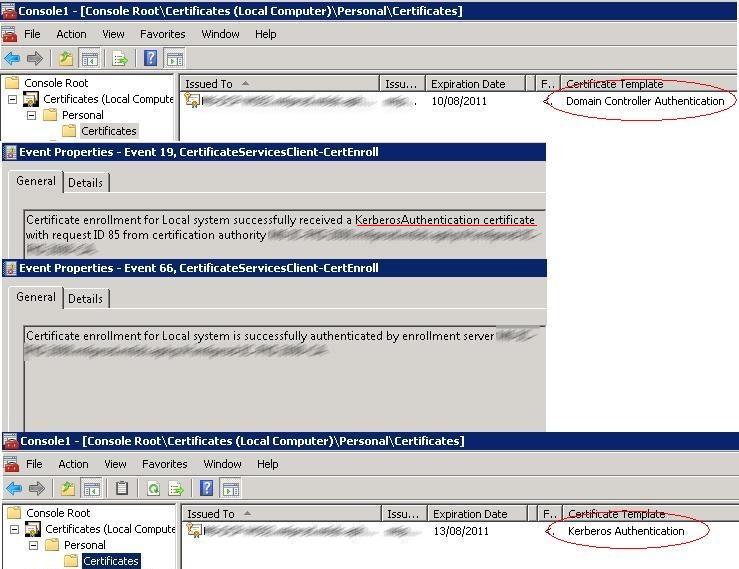
Issue the chosen certificate template to your domain controllers. This can be done manually through the Certificate Services console or automatically using Autoenrollment. Autoenrollment is highly recommended for ease of management and ensuring certificates remain valid.

Step 3: Certificate Enrollment
If not using Autoenrollment, domain controllers must enroll for the certificate manually. This involves submitting a certificate request to the CA.
Step 4: Verification and Trust
Verify that the certificate has been successfully issued and installed on the domain controller. Ensure that clients trust the issuing CA.
Best Practices for Domain Controller Certificate Management
Effective certificate management is crucial for maintaining a secure environment.
- Use Autoenrollment: Automate certificate enrollment and renewal to minimize administrative overhead and prevent certificate expiration.
- Short Certificate Validity Periods: Use shorter validity periods (e.g., 1-2 years) to reduce the impact of a compromised certificate.
- Regular Certificate Audits: Regularly audit your certificate infrastructure to identify expired or invalid certificates.
- Secure Key Storage: Protect the private keys associated with your certificates. Use Hardware Security Modules (HSMs) for enhanced security.
- Monitor Certificate Revocation Lists (CRLs): Ensure that clients can access and process CRLs to identify revoked certificates.
- Implement Certificate Monitoring: Utilize monitoring tools to alert you to certificate expiration or other issues.
Troubleshooting Common Domain Controller Certificate Issues
Several issues can arise during domain controller certificate implementation and management.
Certificate Enrollment Failures
These can be caused by various factors, including:
- Incorrect permissions on the CA.
- Network connectivity issues.
- Problems with the certificate request.
- Conflicting certificate templates.
Certificate Trust Issues
Clients may not trust the issuing CA if:
- The CA root certificate is not installed in the trusted root certification authorities store.
- The CA root certificate is expired or revoked.
- There are network connectivity issues preventing clients from reaching the CA.
Expired Certificates
Expired certificates will cause services to fail. Ensure Autoenrollment is configured correctly to prevent this.
Choosing the Right Domain Controller Certificate Template for Your Needs
Selecting the appropriate Domain Controller Certificate Template is a critical security decision. While the “Domain Controller Authentication” template is a good starting point, consider your specific security requirements. If you require secure channel communication, the “Domain Controller Authentication (Key Exchange)” template is a better choice. Regularly review your certificate infrastructure and adjust your template selection as needed to maintain a robust security posture. Remember that proactive certificate management is a cornerstone of a secure Active Directory environment.
Conclusion
Securing your domain controllers with properly configured certificates is a fundamental aspect of network security. Understanding the different Domain Controller Certificate Template options, implementing best practices for certificate management, and proactively troubleshooting potential issues are essential for protecting your organization from cyber threats. By prioritizing certificate security, you can ensure the integrity and availability of your Active Directory environment and safeguard your sensitive data. Remember to regularly review and update your certificate policies to adapt to the evolving threat landscape and maintain a strong security posture.
]]>