Task Card Template
Task cards are a fantastic tool for engaging students and making learning more interactive. They’re versatile, adaptable to any subject, and can be used in a myriad of ways, from review games and station activities to quick checks for understanding. However, creating effective task cards from scratch can be time-consuming. That’s where a good task card template comes in handy! A well-designed template not only saves you time but also ensures consistency and clarity in your materials.
What Makes a Great Task Card Template?
A great task card template should be:
- Visually Appealing: A clean and organized design will make the task cards more inviting for students.
- Editable: You need to be able to easily customize the template with your specific content.
- Printable: The template should be designed to print efficiently, ideally maximizing the number of cards per page.
- Reusable: A template you can use again and again for different topics and grade levels is invaluable.
- Clearly Organized: The layout should clearly delineate the question, answer space (if applicable), and any instructions.
Using a template allows you to focus on crafting meaningful and engaging questions, rather than wrestling with formatting and layout. This ultimately saves you valuable time and energy, which you can then reinvest in your students.
Essential Elements of a Task Card Template
Here’s a breakdown of the key components you’ll want to consider when designing or choosing a task card template:
Layout and Structure:
The most basic element is the overall layout. Consider:
- Size: Task cards are typically printed on a standard sheet of paper (8.5 x 11 inches) and then cut into smaller cards. Common sizes include 4 cards per page (approximately 5.5 x 4.25 inches) or 6-8 cards per page. Choose a size that is easy for students to handle and read.
- Borders: Clear borders define each task card, making them easy to cut and separate. Use a slightly thicker line weight for easier cutting.
- Numbering: Numbering each task card is crucial for organization, especially when using them in games or assigning specific cards to students.
- Spacing: Ensure adequate spacing between the text, borders, and other elements to avoid a cluttered look.
Content Areas:
These are the specific areas where you’ll input your information:
- Question/Prompt Area: This is the primary space where you will write the question, problem, or instruction for the student. Make sure it’s large enough to accommodate longer questions or even images.
- Answer Space (Optional): If you want students to write directly on the task card, include a dedicated space for their answer. This could be a blank line, a box, or a series of lines for more complex answers. Consider the type of question and how much space students will realistically need. For multiple choice, include lettered spaces (A, B, C, D) or similar.
- Instructions/Hints (Optional): You might include a brief instruction or hint to guide students. This is particularly helpful for more challenging tasks.
- Topic/Skill Header (Optional): A small header at the top of each card can indicate the topic or skill being assessed. This helps students quickly understand the focus of the task.
Design Elements:
These elements enhance the visual appeal and functionality of your task cards:
- Fonts: Choose clear and legible fonts that are appropriate for your grade level. Avoid overly decorative fonts that can be difficult to read. Stick to one or two fonts for consistency.
- Colors: Use color strategically to highlight important information or add visual interest. Avoid using too many colors, which can be distracting. Consider using different colors for different topics or skill levels.
- Graphics/Images: Images can make task cards more engaging, especially for younger students. Use relevant images that support the content of the task. Be mindful of copyright when using images.
Task Card Template in HTML List Format
Here’s a basic structure for a task card template represented in an HTML list format. This provides a foundational understanding of how you might organize the content within a visual design tool.
-
Task Card Container: This is the overarching container for each individual task card. It defines the boundaries and can be styled with borders, background colors, and padding.
<div class="task-card">
-
Header (Optional): This section typically contains the topic or skill being assessed.
<div class="task-card-header"><h3>Topic: [Insert Topic Here]</h3></div>
-
Task Card Number: This helps in organization and referencing.
<div class="task-card-number"><span>#[Card Number]</span></div>
-
Question/Prompt Area: This is the core content of the task card.
<div class="task-card-question"><p>[Insert Question or Prompt Here]</p></div>
-
Answer Space (Optional): This provides space for students to write their answers.
<div class="task-card-answer"><p>Answer: <input type="text" name="answer"></p>(For a short answer)<textarea name="answer" rows="4" cols="30"></textarea>(For a longer answer)</div>
-
Multiple Choice Options (Optional)
-
<div class="task-card-multiple-choice"> -
<input type="radio" id="optionA" name="answer" value="A"> <label for="optionA">A. [Option A]</label><br> -
<input type="radio" id="optionB" name="answer" value="B"> <label for="optionB">B. [Option B]</label><br> -
<input type="radio" id="optionC" name="answer" value="C"> <label for="optionC">C. [Option C]</label><br> -
<input type="radio" id="optionD" name="answer" value="D"> <label for="optionD">D. [Option D]</label><br> -
</div>
-
-
Instructions/Hints (Optional): This section provides additional guidance.
<div class="task-card-instructions"><p>Hint: [Insert Hint Here]</p></div>
-
Footer (Optional): You can include a small footer for branding or other information.
<div class="task-card-footer"><p>[Your Name/Logo]</p></div>
</div>
This HTML structure provides a starting point. You’ll need to add CSS to style the elements and create a visually appealing and functional task card template. You can use various word processing or graphic design programs to create a visual template based on these principles. Good luck creating engaging task cards for your students!
If you are looking for What is a Task? you’ve came to the right web. We have 15 Pictures about What is a Task? like What is a Task?, GitHub – plutuss/task-api: My task prodject and also To do list, task management or completion tracking or reminder to. Here you go:
What Is A Task?
www.computerhope.com
To Do List, Task Management Or Completion Tracking Or Reminder To
www.vecteezy.com
What Is The Difference Between A Task And A Goal? – The Bragg Factor®

thebraggfactor.com
Task List Vector Art PNG, Task List, Task, List, Pencil PNG Image For

pngtree.com
MY TASK
kimmbuly.blogspot.com
A Guide To Setting, Managing And Tracking Your Project Tasks
aprika.com
What Is Task Management | Choosing Right Task Management Software
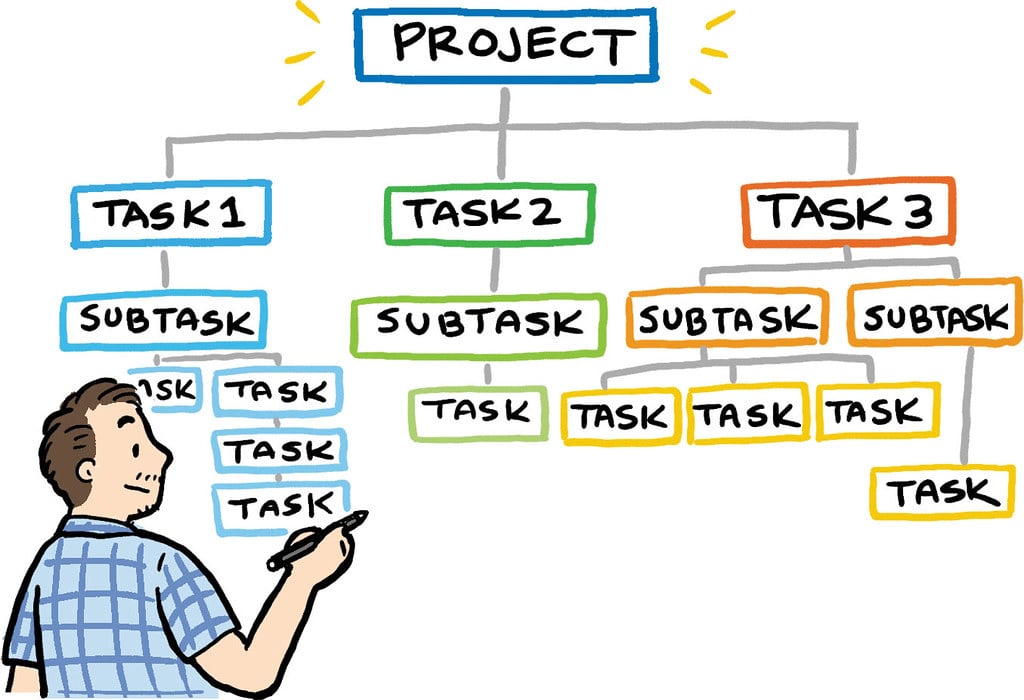
www.proprofs.com
What Does Task Mean? Project Management Dictionary Of Terms
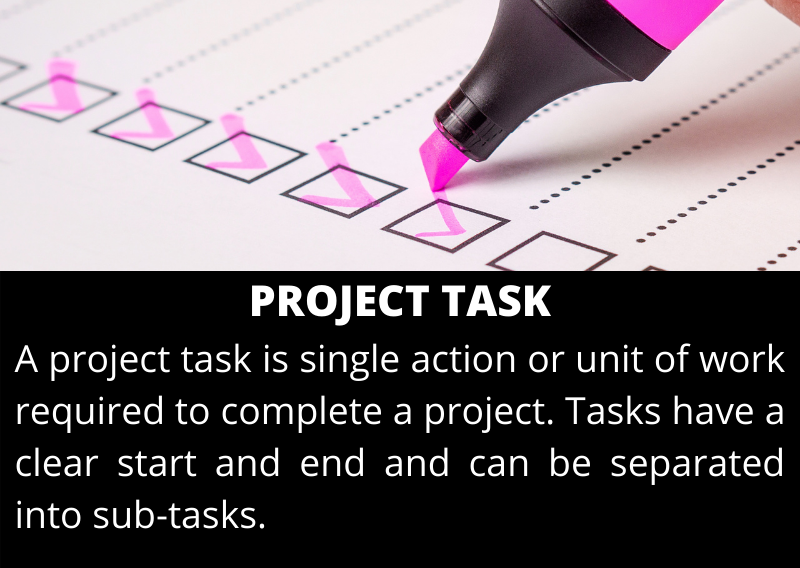
www.stakeholdermap.com
Task Management Dashboard | Figma

www.figma.com
What Is Task | Explained In 2 Min – YouTube

www.youtube.com
Task Complete

ar.inspiredpencil.com
Effective Strategies: How To Motivate A Task Oriented Employee
abrickatatime.com
Can 'Task' Be Used As A Verb? | Merriam-Webster
www.merriam-webster.com
GitHub – Plutuss/task-api: My Task Prodject
github.com
My Tasks – Vrogue.co

www.vrogue.co
My tasks. What is task. task complete